Introduction
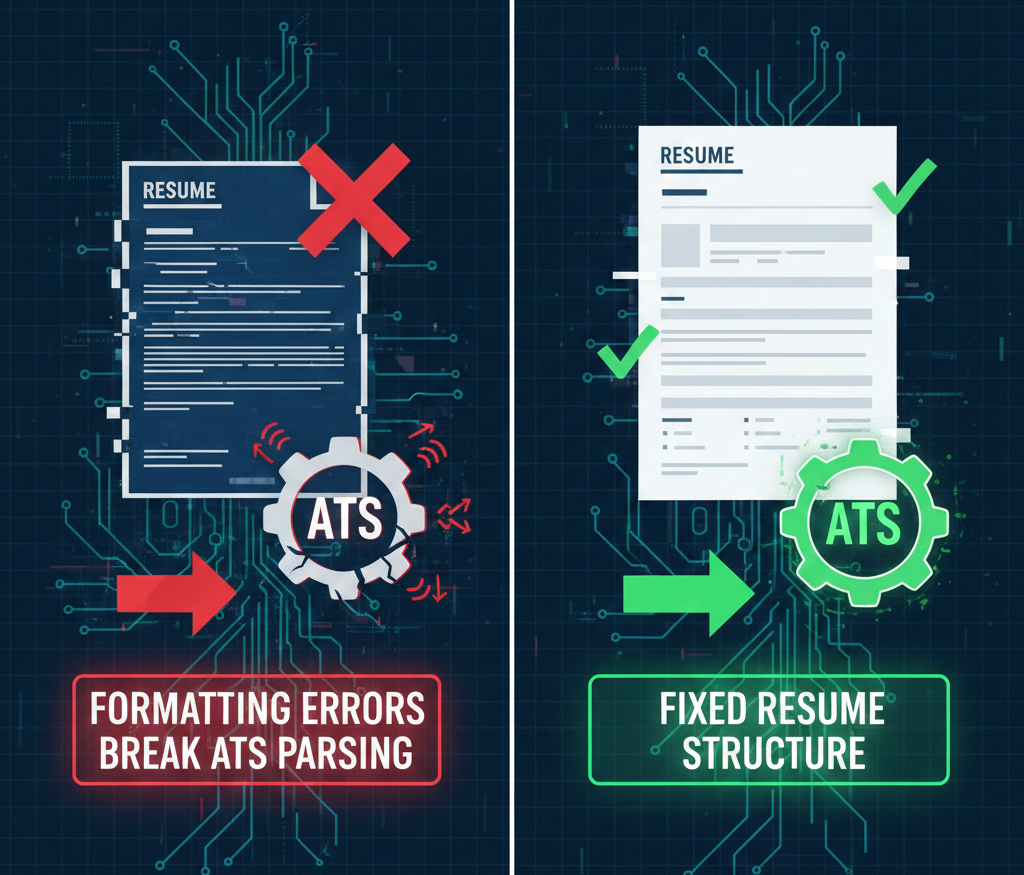
Resume content matters, but resume structure matters just as much. Many candidates lose opportunities not because they lack skills, but because their resume is not being read correctly. This happens when an ATS cannot extract information properly. That is why formatting errors break parsing and quietly reduce your shortlisting chances.
Parsing is the process where hiring systems convert your resume into structured data. It pulls your name, contact details, work history, education, and skills into specific fields. If the system reads your resume incorrectly, your profile may appear incomplete or irrelevant inside the recruiter’s dashboard.
A resume that looks attractive to humans can still fail in automated screening. Therefore, professional formatting is not optional anymore. It is a key requirement for visibility and selection.
Parsing relies on predictable structure, not visual design
Most ATS tools do not evaluate resumes visually. They read resumes as text and patterns. They search for standard section headings and consistent formatting to understand where each detail belongs.
When your resume uses unusual layouts or creative design elements, the system may lose context. For example, job titles can merge with dates. Skills can appear inside unrelated sections. In some cases, entire parts of your resume may not be captured.
This is why clean formatting increases your chances. It allows the system to interpret your profile accurately. It also makes manual review faster once your resume reaches a recruiter.
Multi-column layouts and tables often disrupt parsing
Modern resume templates frequently use two columns. One side includes skills and personal details. The other side includes work experience and education. While this looks visually balanced, it creates a major risk in parsing.
Many ATS tools read content line by line. As a result, they may combine text from both columns in the wrong order. This can create a confusing output inside the system, even if the resume looks perfect on your screen.
Tables can create similar issues. Information placed inside table cells may not be extracted correctly. Your experience may appear incomplete, or your skills may be misclassified.
A single-column resume format is typically the safest option. It maintains a clean flow of information and reduces parsing errors.
Icons, graphics, and skill bars reduce text readability
Candidates often use icons for phone numbers, email addresses, and LinkedIn links. Some also use graphical skill bars to show proficiency. These elements may look modern, but they can reduce machine readability.
Most ATS tools prioritize actual text. If key details are displayed using icons or graphics, the system may fail to capture them. This can lead to missing contact information or incomplete skill extraction.
A professional resume should present critical details in plain text. Skills should be listed clearly using words, not visuals. This improves accuracy and prevents information loss during screening.
Text boxes and shapes can hide valuable content
Many templates place summaries and achievements inside text boxes. Some also use design shapes to separate content sections. These design choices can interfere with parsing because the ATS may not read text boxes in the correct order.
In some cases, the system may skip text inside boxes completely. That means your strongest accomplishments may never appear in the ATS record. This can reduce your ranking and affect recruiter perception.
To avoid this, keep all important content in the main document body. Use simple headings and spacing instead of decorative elements.
Headers and footers can cause missing contact details
It is common to place contact information in the header section of a resume. While this looks neat, it creates a risk because some ATS systems do not consistently read headers and footers.
If your email address or phone number is stored in the header, it may not be extracted. Even if your resume is shortlisted, recruiters may struggle to contact you.
The safest approach is to keep your name and contact details at the top of the first page in plain text, within the main document flow.
Font choices and inconsistent spacing can break context
ATS systems perform best with standard, readable fonts. Decorative fonts may cause character recognition issues. In addition, inconsistent spacing can confuse how the system interprets sections.
If line breaks are uneven, job titles can blend into company names. Dates may shift into the wrong position. Bullet points may convert into long paragraphs.
This not only affects automated screening but also reduces readability for recruiters. A professional resume should use consistent formatting, clean alignment, and structured bullet points.
File type issues and conversion errors create parsing failures
Some resumes are designed using tools that export content as images. This creates a major problem because image-based PDFs cannot be read properly by many ATS tools.
Even when resumes are exported as text PDFs, conversion can sometimes break structure. Bullets may shift. Spacing may change. Text may become misaligned.
A simple test can help. If you cannot select and copy text from your resume properly, the ATS may struggle to read it as well.
To stay safe, use a text-based PDF or a standard Word document format, depending on the company’s preference.
Best practices to prevent parsing errors
Professional formatting does not require heavy design. It requires clarity and consistency. A resume should be easy for systems to extract and easy for recruiters to review.
Use a single-column layout with clear headings such as Summary, Skills, Experience, Education, and Projects. Avoid tables, icons, text boxes, and complex graphics. Keep your formatting consistent across sections and use standard bullet points.
Before submitting, copy and paste your resume into a blank document. If the content appears out of order or messy, parsing will likely fail. This quick check can prevent avoidable rejections.
Conclusion
Formatting issues are one of the most overlooked reasons for job application rejection. Even a strong candidate can lose opportunities if the ATS cannot read the resume correctly. That is why formatting errors break parsing and reduce shortlisting chances without warning.
A clean, professional resume format improves extraction accuracy, increases visibility, and makes recruiter review easier. When your resume is structured correctly, your skills and achievements get the attention they deserve.
To explore better roles and apply with confidence, use the best job tool.
Find Your Dream Job Today – Explore Endless Career Opportunities and Secure Your Next Role with Best Job Tool.





Leave a Reply